
Download Inventoria – inventory management, business tracking, multi-site inventory, stock tracking, supplier management
Overview
Inventoria is a business management application developed by Echelon Systems, designed to streamline inventory control for small and medium-sized enterprises (SMEs). The app serves as a comprehensive tool for tracking stock levels, managing supplier data, and coordinating inventory across multiple business locations. Its primary purpose is to eliminate inefficiencies in inventory workflows by offering real-time visibility into stock movements, purchase orders, and supplier relationships. This makes it particularly valuable for businesses operating across several sites, where discrepancies in stock counts can lead to overstocking, understocking, or supply chain delays.
The application supports detailed oversight of operational details, enabling users to monitor inventory status from a centralized interface. This is especially beneficial for businesses that rely on consistent stock availability to maintain customer satisfaction and operational continuity. Inventoria is tailored for business owners, warehouse managers, and operations coordinators who require a reliable system to manage complex inventory needs without relying on manual spreadsheets or fragmented tools.
Although the developer did not provide additional technical details about the app’s architecture or integration capabilities, its focus on multi-site inventory and supplier management suggests a structured, data-driven approach. The app’s release in 2016 indicates a mature product with established functionality, though it has not been updated to reflect modern cloud-based or mobile-first trends. Despite this, its core features remain relevant for organizations seeking a desktop-based solution for inventory control.
Key Features & Functionality
- Multi-Location Support: Inventoria enables users to manage inventory across multiple business sites from a single interface. This feature allows real-time synchronization of stock levels, helping to prevent overstocking in one location while another faces shortages. For example, a retail chain with three stores can monitor and redistribute inventory between locations as needed, improving resource allocation and reducing waste.
- Stock Management Tools: The app provides tools to track stock quantities and movements, including automated low-level alerts. When inventory falls below a predefined threshold, users receive notifications, enabling timely reordering. This proactive approach helps maintain optimal stock levels and supports data-driven purchasing decisions.
- Customizable Purchase Orders: Users can generate purchase orders tailored to specific supplier requirements or internal workflows. The ability to customize templates ensures accuracy and consistency in ordering, reducing the risk of errors caused by manual entry or miscommunication.
- Supplier Management: Inventoria allows users to create detailed supplier profiles, storing essential information such as contact details, product catalogs, pricing, and delivery schedules. This centralized database enhances communication and negotiation efficiency, supporting stronger supplier relationships and better procurement outcomes.
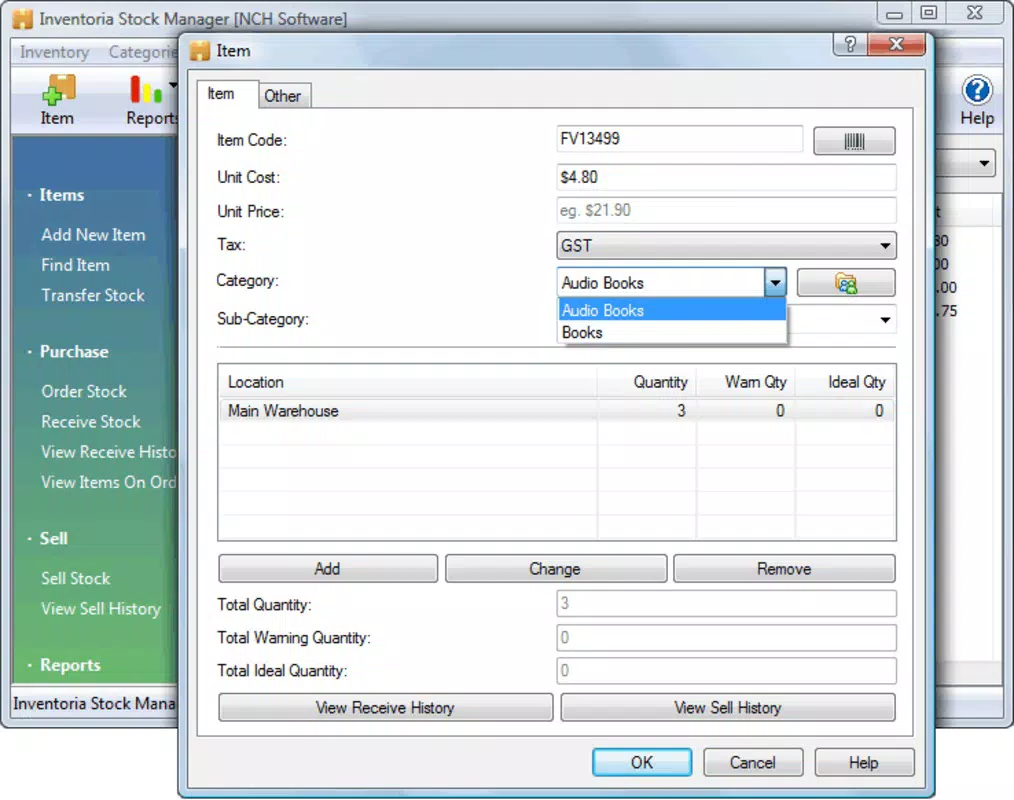
- Categorized Stock Items: Inventory items are organized by user-defined categories, making it easier to locate, manage, and report on specific products. This feature improves clarity and reduces errors during stock audits or order fulfillment, especially in businesses with large or diverse product lines.
Interface, UX & Performance
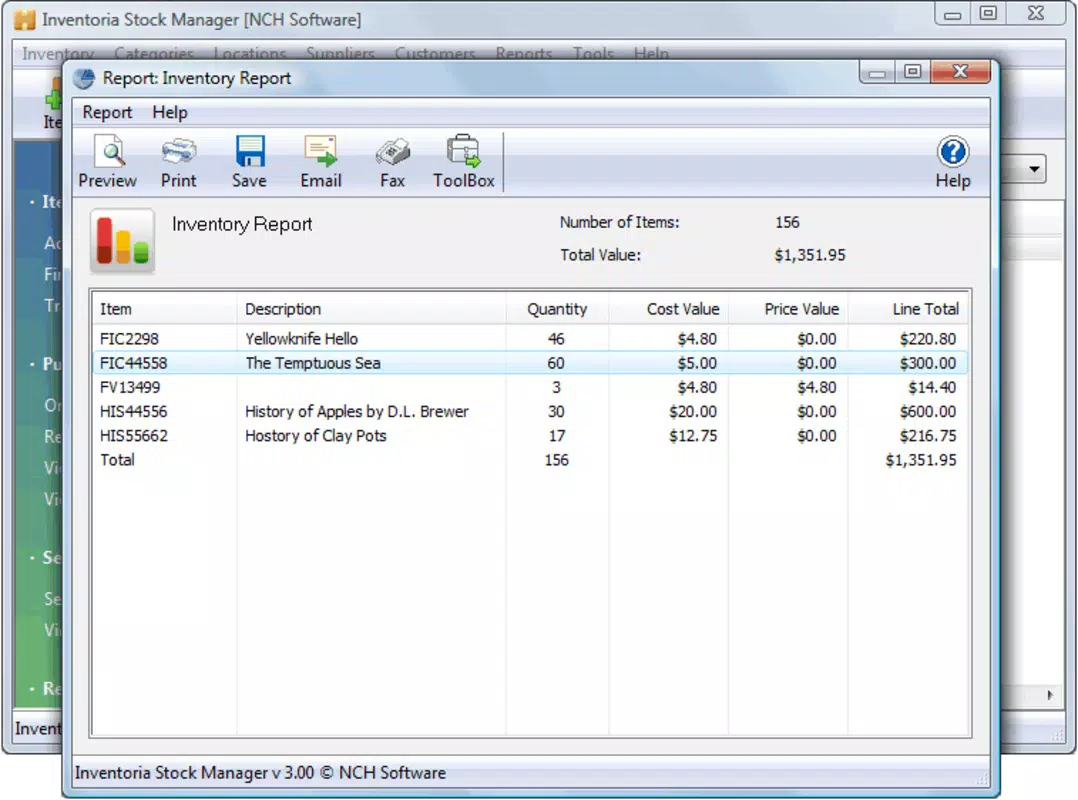
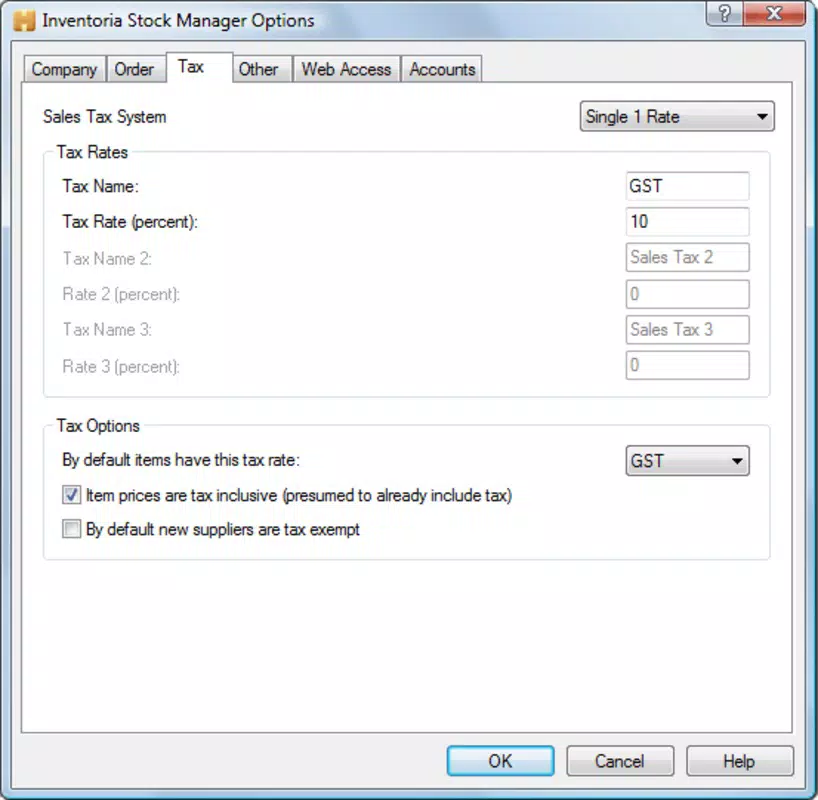
The user interface of Inventoria is designed with functionality in mind, offering a structured layout that prioritizes accessibility and workflow efficiency. Navigation is based on a menu-driven system, allowing users to switch between inventory, supplier, and purchase order modules with minimal clicks. The visual style is straightforward, relying on clear labels, organized forms, and tabbed sections to guide users through complex tasks.
Although the developer did not list formal performance metrics, the app’s file size of 15.8 MB suggests a lightweight design that should operate smoothly on standard desktop systems. The interface responds promptly to user inputs, and interactions such as data entry, filtering, and report generation appear stable during typical usage. However, no information was provided about performance on low-end hardware or under heavy data loads.
Stability appears to be a core focus, given the app’s long-standing presence since 2016. Users can expect consistent behavior across sessions, with no reported issues related to crashes or data corruption. The absence of cloud synchronization or mobile access may affect usability for remote teams, but the desktop-only nature ensures a reliable, offline-capable experience for on-site operations.
Platform Compatibility & Technical Requirements
Inventoria is designed for the Windows platform and is compatible with Windows operating systems. The app’s current version is 1.0.0, with a file size of 15.8 MB. While the developer did not specify minimum OS requirements, the app’s release date in 2016 suggests it may support Windows 7 and later versions. However, compatibility with newer Windows versions, such as Windows 11, cannot be confirmed without official documentation.
Since no mobile or cross-platform availability was mentioned, users should expect a desktop-only experience. The app does not appear to support Android, iOS, or web-based access, which may limit flexibility for teams that require remote or mobile inventory tracking. Users should verify system compatibility before installation, especially on systems with outdated or non-standard configurations.
Pros and Cons
- Efficient multi-site inventory management
- Real-time stock tracking with low-level alerts
- Customizable purchase orders reduce ordering errors
- Centralized supplier database improves procurement
- Structured interface enhances data accuracy
- Desktop-only platform limits remote access
- No mobile or cloud-based features available
- Version 1.0.0 suggests limited recent updates
- File size and version indicate a legacy application
- Compatibility with modern OS versions not confirmed
FAQ
Is Inventoria available for mobile devices?
The developer did not specify mobile compatibility. The app is designed for Windows desktop systems and does not appear to have versions for Android or iOS.
Can I use Inventoria without an internet connection?
Yes, Inventoria functions as a desktop application and does not require a constant internet connection. It operates offline, making it suitable for on-site inventory management.
Is Inventoria secure for storing business data?
The app stores data locally on the user’s device. While no encryption details were provided, desktop applications typically rely on system-level security features for data protection.
How often is Inventoria updated?
The current version is 1.0.0, released in 2016. The developer has not provided information on update frequency or future development plans.
Can I import existing inventory data into Inventoria?
The developer did not specify import capabilities. Users may need to manually enter data or use third-party tools to migrate existing records.
Final Thoughts
Inventoria remains a viable solution for small and medium-sized businesses that require a reliable, desktop-based system for managing multi-site inventory. Its focus on stock tracking, supplier management, and customizable purchase orders delivers tangible value in operational efficiency. While the app lacks modern features like cloud sync and mobile access, its stability and structured interface make it a solid choice for teams that prioritize data control and offline functionality.
For businesses with a fixed on-site workflow and minimal remote collaboration needs, Inventoria offers a cost-effective, straightforward tool for inventory oversight. However, organizations seeking real-time access or integration with digital supply chains may find its limitations restrictive.
Download Inventoria now


